Bitlocker Recovery Issue
If you boot your PC and you see this error screen below, here is what you need to do...
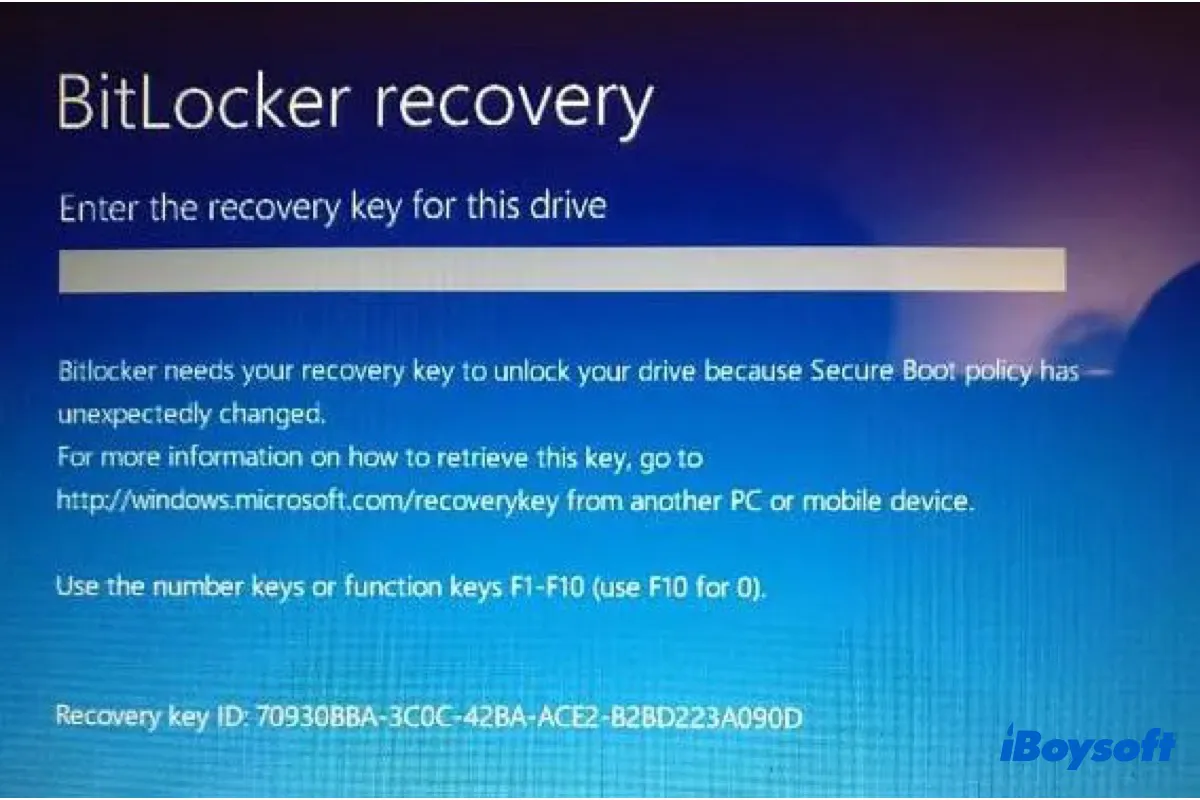
If you boot your laptop and you see a BitLocker Recovery Screen, what do you do?
Do not panic. BitLocker is simply a built-in encryption feature in Microsoft Windows that protects data by encrypting entire drives, ensuring that unauthorized users cannot access the data without proper authentication.
Follow the instructions below to resolve the issue
1. Access your Microsoft account using the same credentials you used during your laptop's initial setup. You can log in at accounts.microsoft.com
2. Select the "View account" section.
3. Click on "Devices" and select your device name from the list.
4. Search and click on "View BitLocker keys."
5. Your BitLocker key will be displayed.
Please ensure you are using the correct Microsoft account credentials to access the required information.
Was this article helpful?
That’s Great!
Thank you for your feedback
Sorry! We couldn't be helpful
Thank you for your feedback
Feedback sent
We appreciate your effort and will try to fix the article